
WhatsApp in Planfix: every client chat becomes a task with history
Connect your work WhatsApp number by QR code — client messages land in Planfix tasks and your team replies from there. About 5 minutes, no Meta accounts and no template approval.

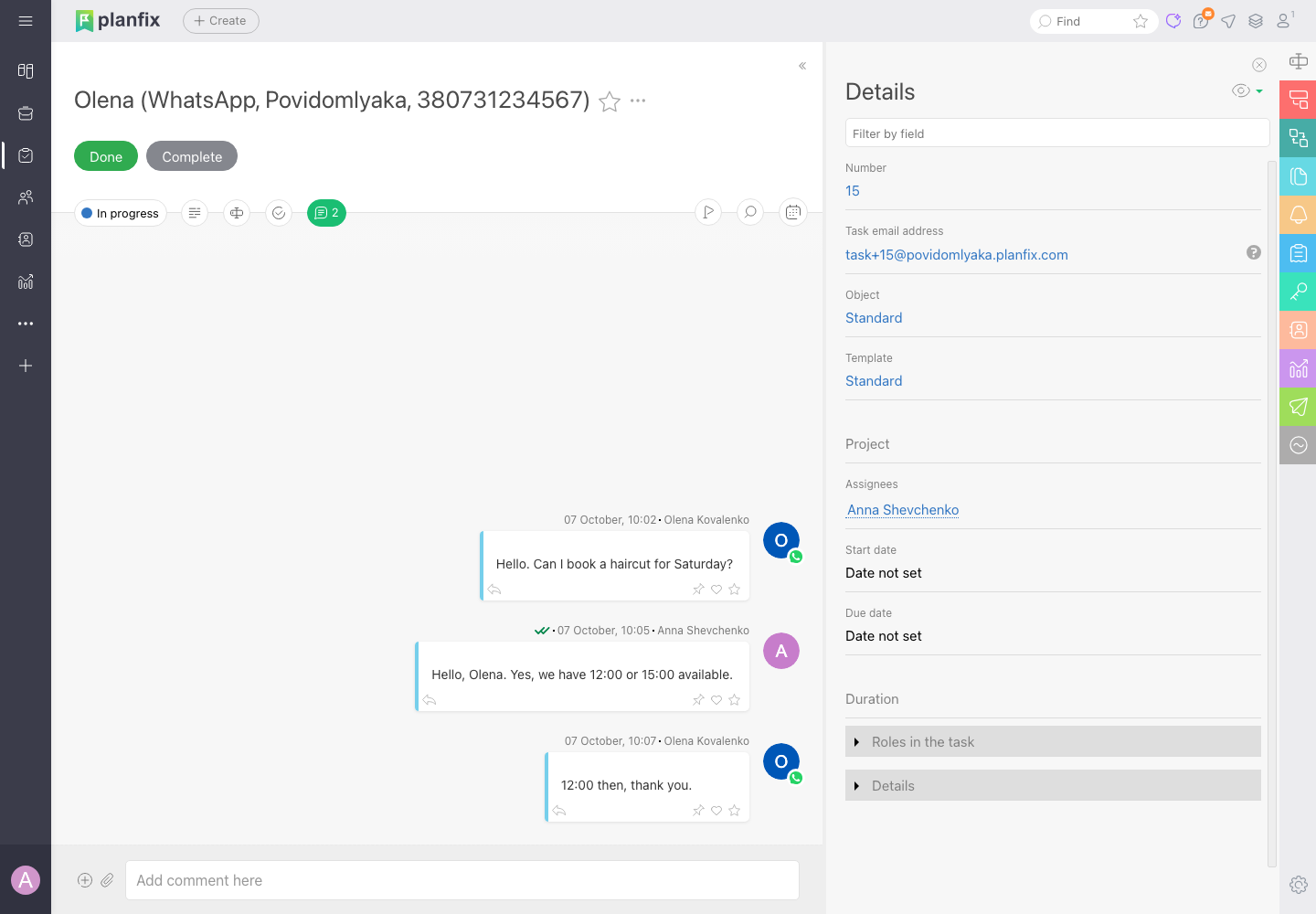
The WhatsApp conversation, inside the task
Each new WhatsApp client gets a Planfix task with their name, number and the full conversation, so the context is visible at a glance.
A team member replies with a comment, and the client sees it in WhatsApp from your business number. A change of manager doesn't mean a lost conversation.
WhatsApp and Planfix without copy-paste

Chat becomes a task
Every WhatsApp conversation is a Planfix task with its complete history.
Reply from Planfix
A task comment reaches the client in WhatsApp from your business number.

Notifications from scenarios
Planfix scenarios message the client in WhatsApp about a status or the next step.

Fresh contacts
The client's name and number in Planfix come from WhatsApp automatically.

Flexible sync
Group chats, a task per number and a blacklist — your choice.

Need Telegram too?
Add Telegram to the same Planfix — both channels cost less as a bundle.
This is not the official WhatsApp Business API
Povidomlyaka connects your regular WhatsApp or WhatsApp Business number by QR code, like WhatsApp Web. That's why Planfix shows a warning next to third-party services — it applies to every integration of this kind.
The upside: no Meta registration, no template approval and no per-message fees. The downside: WhatsApp may restrict a number that mass-messages people who don't know you. Normal client conversations and scenario notifications carry almost none of that risk.
How to connect WhatsApp →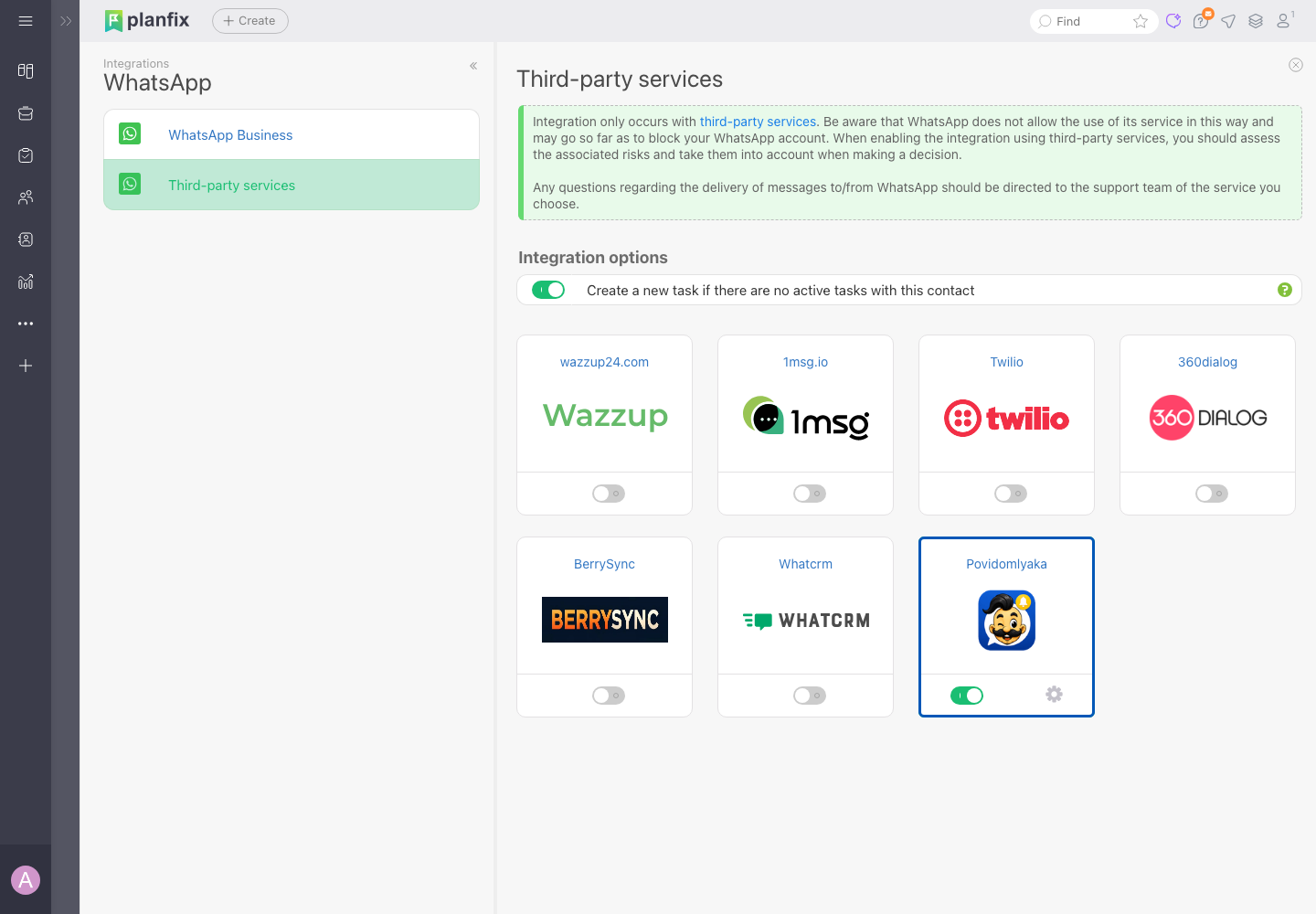
Connect WhatsApp to Planfix in about 5 minutes
Connect WhatsApp in Povidomlyaka
Scan the QR code with WhatsApp on your phone — the same way as for WhatsApp Web.
Find Povidomlyaka in Planfix
Account management → Integrations → Messengers → WhatsApp → Integration via third-party services → the Povidomlyaka card.
Exchange the address and keys
Paste the request address and key from Planfix into Povidomlyaka (Integrations → Planfix), and the key from your account back into Planfix.
Add the number and save
List your WhatsApp number under “Connected numbers” — new chats start arriving in Planfix.
Step-by-step guide with screenshots
Every field of the “Integration settings” dialog, the common errors and how to set up notifications from Planfix scenarios are in the help center.
If something doesn't work, message us in chat and we'll connect it together.
Planfix connection guide →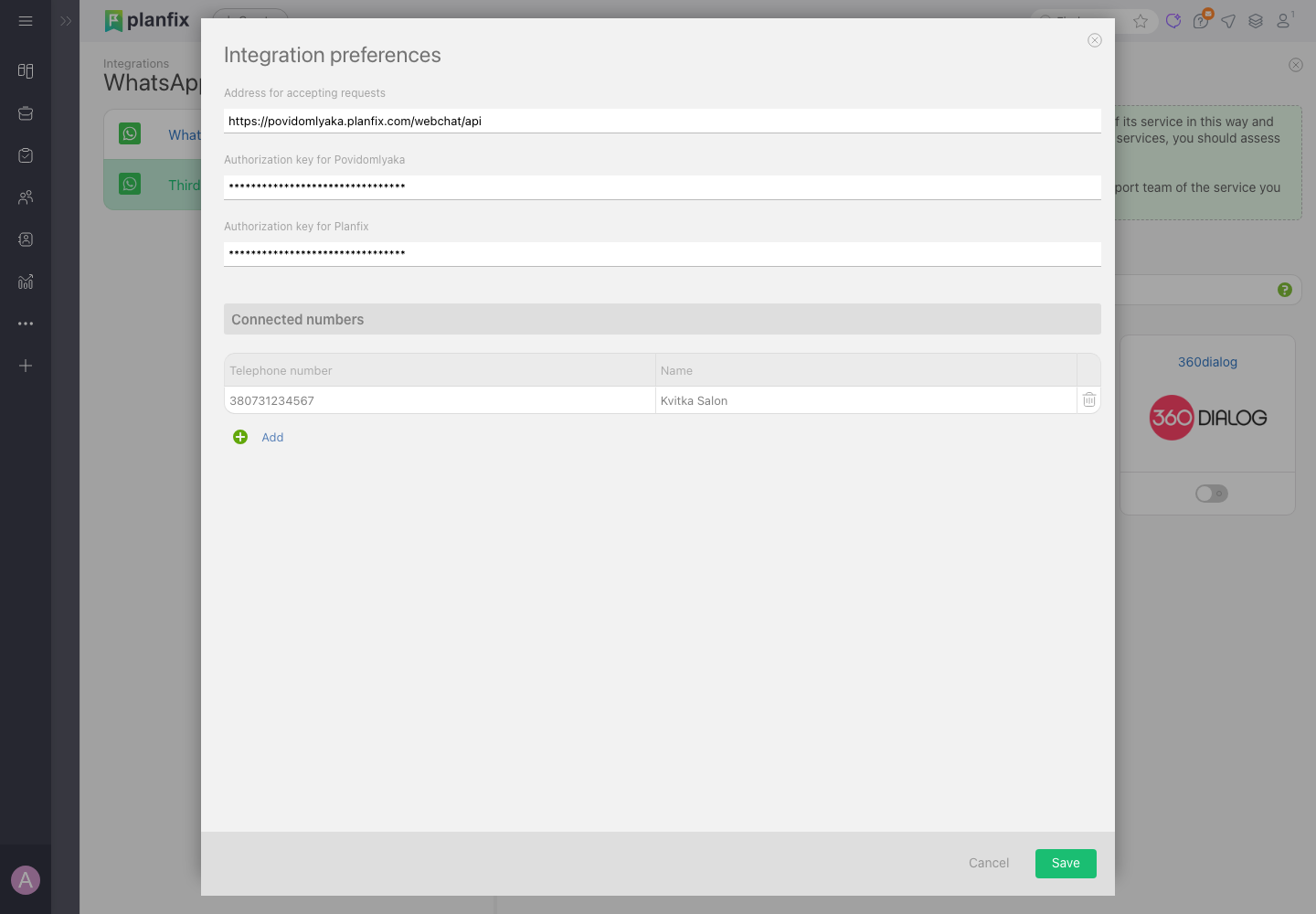
What WhatsApp for Planfix costs
The first 14 days are free, no card required. After that — €15.00 a month for the WhatsApp channel, or €25.00 together with Telegram. No fees per message or conversation and no extra charge per Planfix user.
See pricingFrequently asked questions
Is this the official WhatsApp Business API?+
No. The number connects by QR code, like WhatsApp Web, which is why Planfix shows a warning next to third-party services. If you need the official API specifically, Planfix lists separate providers that charge per conversation.
Can the WhatsApp number get banned?+
WhatsApp restricts numbers that mass-message strangers or collect many reports. Chatting with clients who reach out to you and notifying people you've already talked to is normal use. A separate business number for work chats is the safer setup.
Does regular WhatsApp work, or only WhatsApp Business?+
Both work — regular WhatsApp and WhatsApp Business connect with the same QR code.
Can I message a client first?+
Yes. A team member can reply in the task at any time, and a Planfix scenario can send a notification by phone number — no 24-hour window and no approved templates.
Can Planfix send SMS?+
No, only WhatsApp and Telegram are available from Planfix. SMS through Planfix isn't supported yet.
How many Planfix accounts can I connect?+
One Povidomlyaka account works with one Planfix account. You can connect both WhatsApp and Telegram to it.
Connect WhatsApp to Planfix
About 5 minutes to connect. The first 14 days are free, no card required.
Start free